












Keywords
Toner Cartridge Chip, OEM Chip, Chip Invalid, Firmware
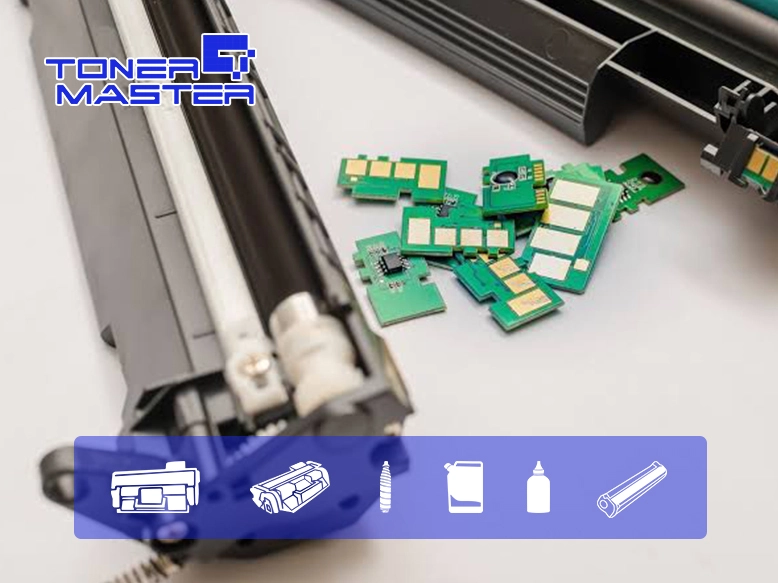
Hey there, if you have ever watched a perfectly good compatible toner cartridge get rejected by a printer after a random midnight firmware update, you know the pain. One day it is printing invoices like a champ, the next day your machine throws a “Non-Genuine Cartridge” tantrum and refuses to budge.
Welcome to the wild world of compatible chip blocking. It’s frustrating, it’s a bit unfair, but it’s also a technical puzzle we deal with every single day. Let’s break down why this happens and, more importantly, how we solve it so your compatible toner cartridge keeps rolling.
So, Why Does the Printer Hate My Chip?
It’s not personal—it’s business. Printer manufacturers (we’re looking at you, HP and Lexmark) use something often called “Dynamic Security” or firmware authentication. Think of the OEM chip as a digital VIP pass. The printer’s firmware constantly checks for a specific encrypted handshake. If the chip doesn’t have the exact secret code the firmware expects at that moment, the printer slams the door.
When manufacturers push a firmware update, they change the lock. Suddenly, the old “key” (our compatible chip) doesn’t fit anymore. The printer displays scary error codes like “Non-HP Chip Detected” (HP’s fancy way of saying “you’re on the naughty list”). It’s essentially a digital lockout designed to push you back toward expensive OEM supplies.
The Good News: We’re Always One Step Ahead
Here’s the thing about the compatible toner cartridge industry: we thrive on these challenges. While a firmware update might brick a cheap, outdated chip, it just means our engineers are pulling all-nighters to crack the new code. We don’t just sit back and accept the block.
How we solve the “Chip Invalid” headache
Rapid Firmware Testing & Chip Upgrades: The moment a major OEM releases a new firmware version, our labs get to work. We test the new authentication protocols and release upgraded compatible chips (often called “version 2.0” or “latest firmware compatible”). For example, when Kyocera pushed an update that blocked older chips, suppliers quickly released upgraded chips specifically for the TK-3400 series to restore functionality. We do the same for HP, Brother, and Canon.
The “Reseat & Reset” Tango: Sometimes it’s not a total block—it’s just a bad connection. Before you panic, power off the machine, pull the cartridge, and gently wipe the chip contacts with a dry, lint-free cloth. Reinsert it firmly. On some models, a simple power cycle with the cartridge removed can clear a temporary glitch.
Firmware Downgrade (Use with Caution): If you’re a bit tech-savvy and desperate, some users roll back their printer’s firmware to the previous version that still accepted third-party chips. However, this is a temporary fix, and you lose security patches. We generally recommend just getting the updated chip from your supplier instead.
The “Ignore” Button (Sometimes): On certain HP models, you can sometimes bypass the warning by pressing “OK” or “Continue” on the printer screen. It’s annoying, but it lets you keep printing until the new chip arrives.
The Bigger Picture: Sustainability and Fair Play
It’s not just about saving a few bucks (though that’s nice). The compatible toner cartridge market is a huge part of the circular economy. Organizations like the Int’l ITC are actively fighting against firmware lockouts, arguing that they violate new sustainability standards like EPEAT 2.0, which explicitly state that printers shouldn’t block remanufactured cartridges. By choosing compatible, you’re literally keeping tons of plastic and toner out of landfills.
Quick Tips to Keep Your Compatible Cartridge Happy
Buy from a responsive supplier: A good compatible toner cartridge manufacturer (like Toner Master!) provides chip updates or replacements if a firmware breaks compatibility.
Don’t swap chips between cartridges: Each chip is married to a specific cartridge’s page count and model. Swapping them usually triggers a “non-genuine” error.
Check your model: Always double-check that the cartridge model matches your printer exactly. The HP 59A and 59X look identical but have different chips.
Look, firmware blocks are a nuisance, but they aren’t the end of the world. They are just a speed bump. As an overseas operations person for a compatible toner cartridge manufacturer, I can tell you that our job is to make sure that speed bump doesn’t slow down your business. We keep our chips updated, our firmware compatibility lists fresh, and our support team ready to help you troubleshoot.
Got a printer that’s throwing a hissy fit? Drop us a line. We have probably already got a chip for that.